
Check the selected source version
Open Text & subtitles and choose the transcription or imported SRT. Check uncertain words against the recording. A model should not fill gaps with plausible invented sentences.
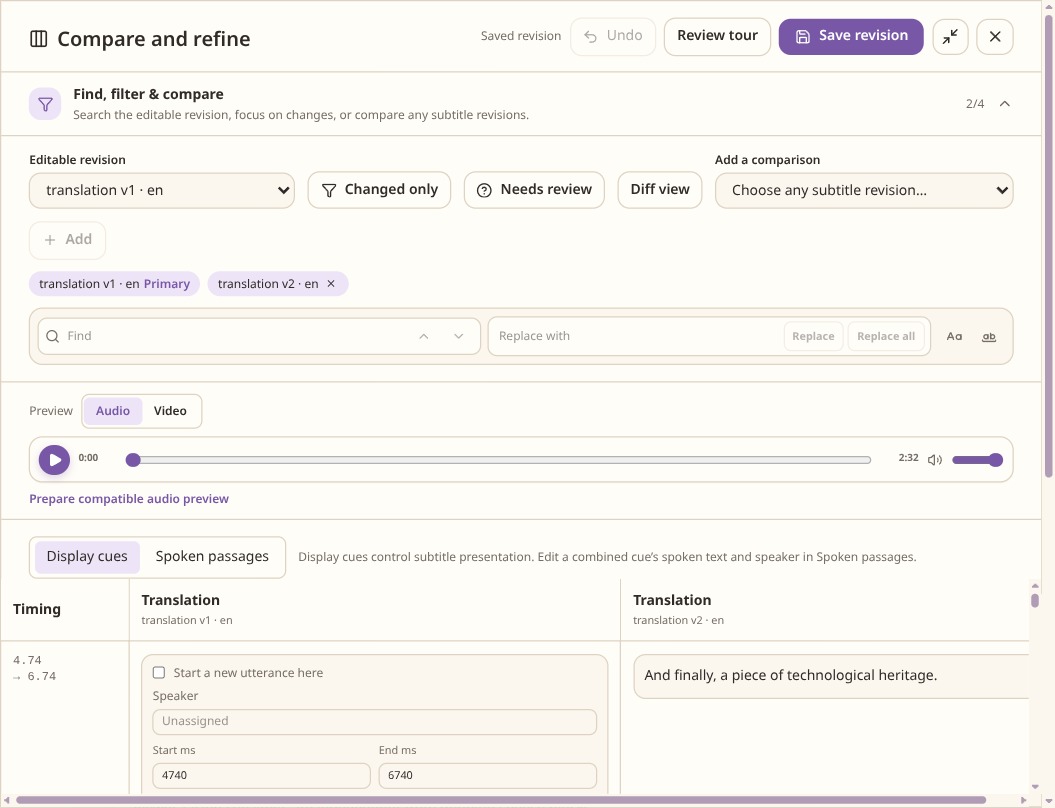
Check which revision is editable and which is a comparison before making changes. Configure correction
In the correction settings describe the topic, names, terminology and the changes you allow. Run Correct and compare the result with the source. Correction should preserve meaning and stay in the source language.
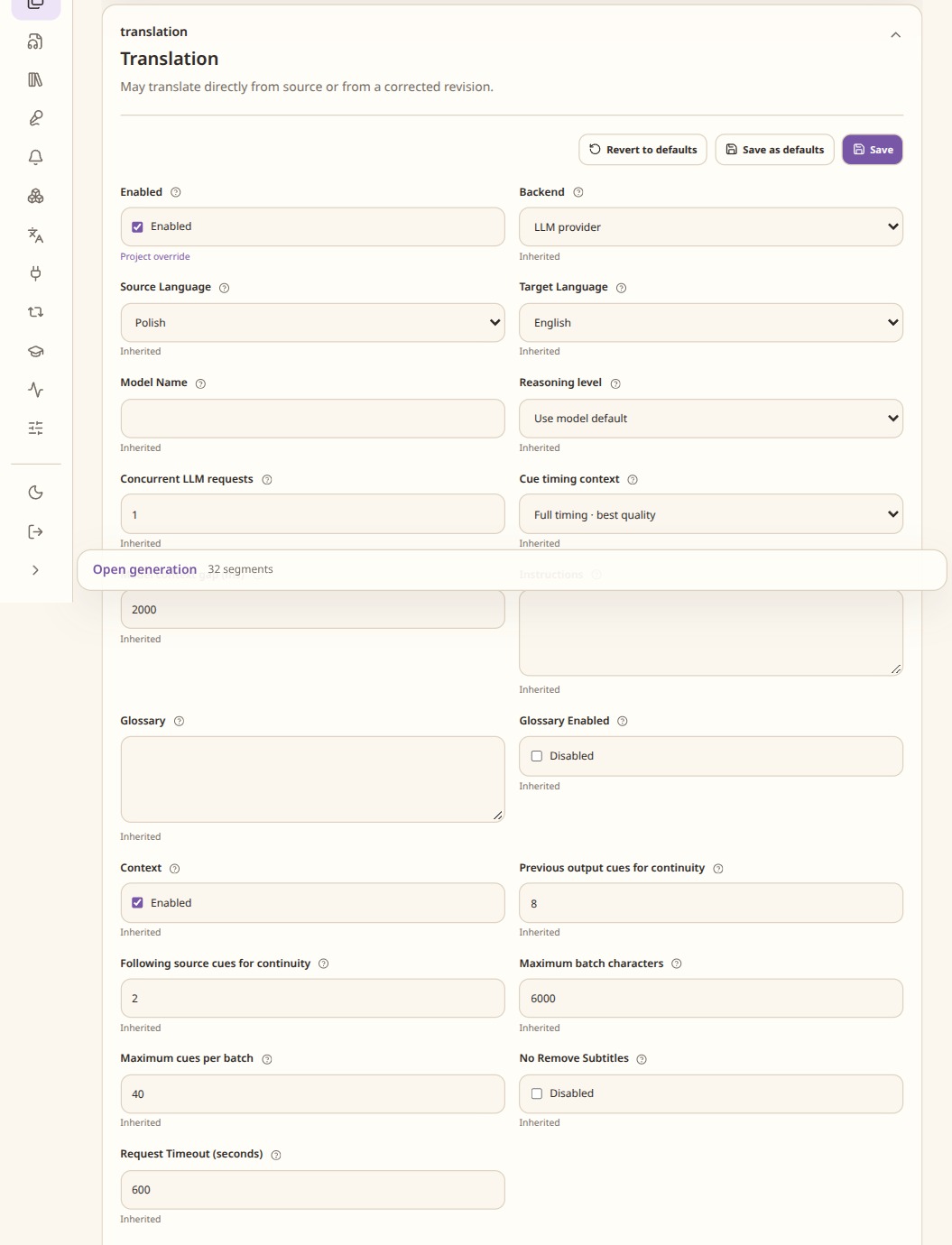
An unsaved example of the translation controls. Correction has its own settings. Choose a target language
Enable Translate, choose the target language and add terminology or style instructions. Run the translation, then review ambiguous passages and numerical information. For several languages, use the multilingual project workflow to keep branches separate.
Keep written and spoken forms separate
Use ordinary spelling and written numbers in captions. If a speech model needs a phonetic spelling or a number expanded into words, put it in TTS speech or the pronunciation dictionary. Check which caption version is selected before export.
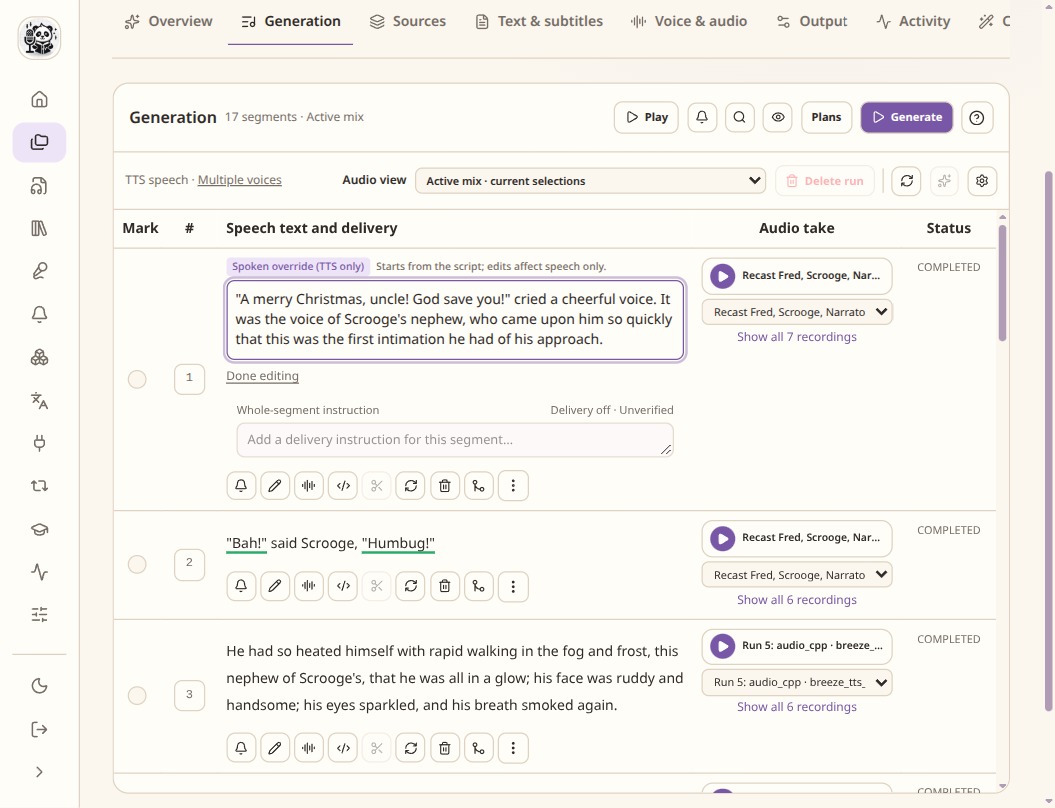
The spoken override is separate from the script. Check the delivery availability badge for the selected model.
Check the result
- Check names, numbers, units, negation and speaker attribution.
- Compare at least one longer passage with its source.
- Keep correction and translation results available even if you choose another version.