
Enable the local MCP service
Use the Manager to start the optional MCP service. Its local Streamable HTTP address is http://127.0.0.1:8099/mcp. It requires a separate bearer credential; the address alone is not a working connection.
Use the client-specific configuration
Generate the connection fragment for your client through the Manager tools and put it in the client’s private configuration. Keep the token out of prompts, screenshots and shared files. A local stdio sidecar is the alternative for configured local or remote targets. The commands below assume that my-target already exists; use your configured target name.
pandrator-mcp doctor --target my-target pandrator-mcp host-config codex --target my-targetVerify a read-only request
Reconnect the client and ask it to inspect target status and list projects. Confirm the expected application and permitted source/output folders before asking it to import or generate anything.
Inspect the connected Pandrator target and list my projects. Do not change anything yet.Choose who does the language work
For passive correction, translation or cleanup, the assistant processes bounded batches and returns the results to Pandrator. Pandrator does not make a second LLM call for that stage. Native language work uses the LLM configured in Pandrator. Transcription, speech synthesis and rendering still use their processing engines.
Ask for a specific result and inspect it
Name the project, task, language and desired output. Ask the assistant to review the plan, follow jobs to completion and download the final file. If the app is upgraded, reconnect to refresh the tool schemas.
Use the selected corrected subtitles in this project. Translate them into Polish, keep normal written names and numbers, then show me the result before generating a voiceover.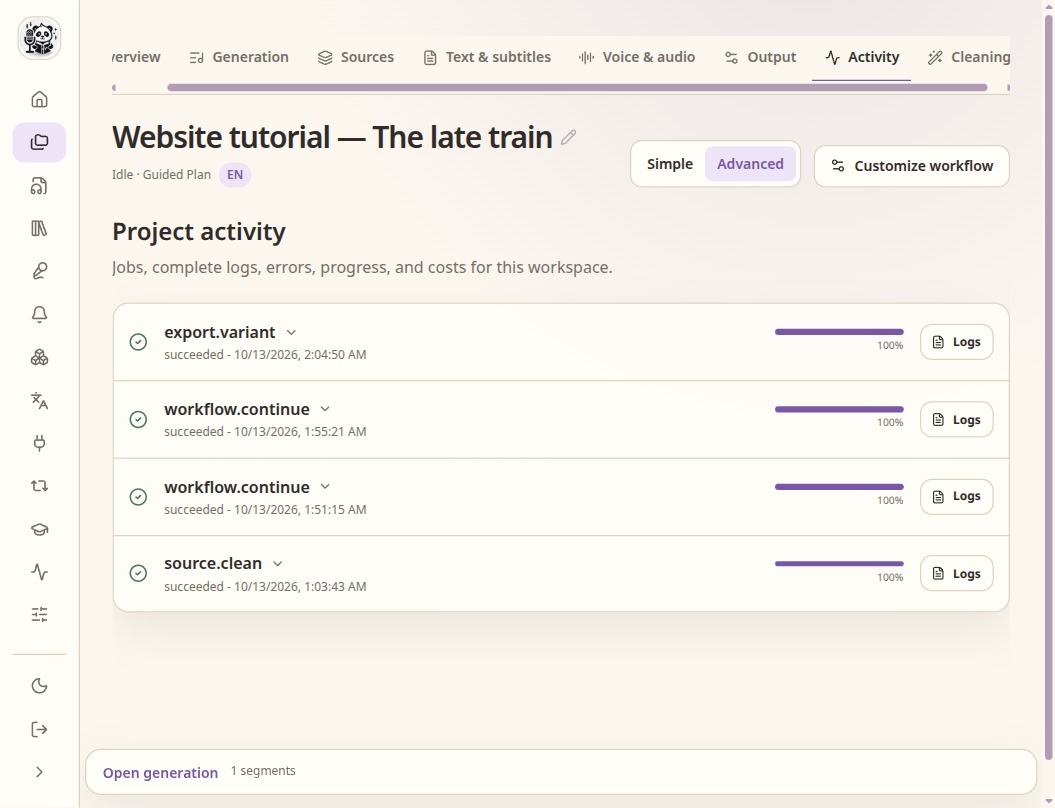
MCP requests appear as jobs in the same project activity view.
Check the result
- Use read-only permissions for inspection; add write/run permissions only when needed.
- A connected assistant is not proof that a speech model is ready.
- Host-model costs and data handling still apply to passive work.