
Open a speech block
In Generation open the block details. Display / subtitles controls the written text. TTS speech controls what the speech engine receives. Leave names and numbers in their normal written form in the display layer.
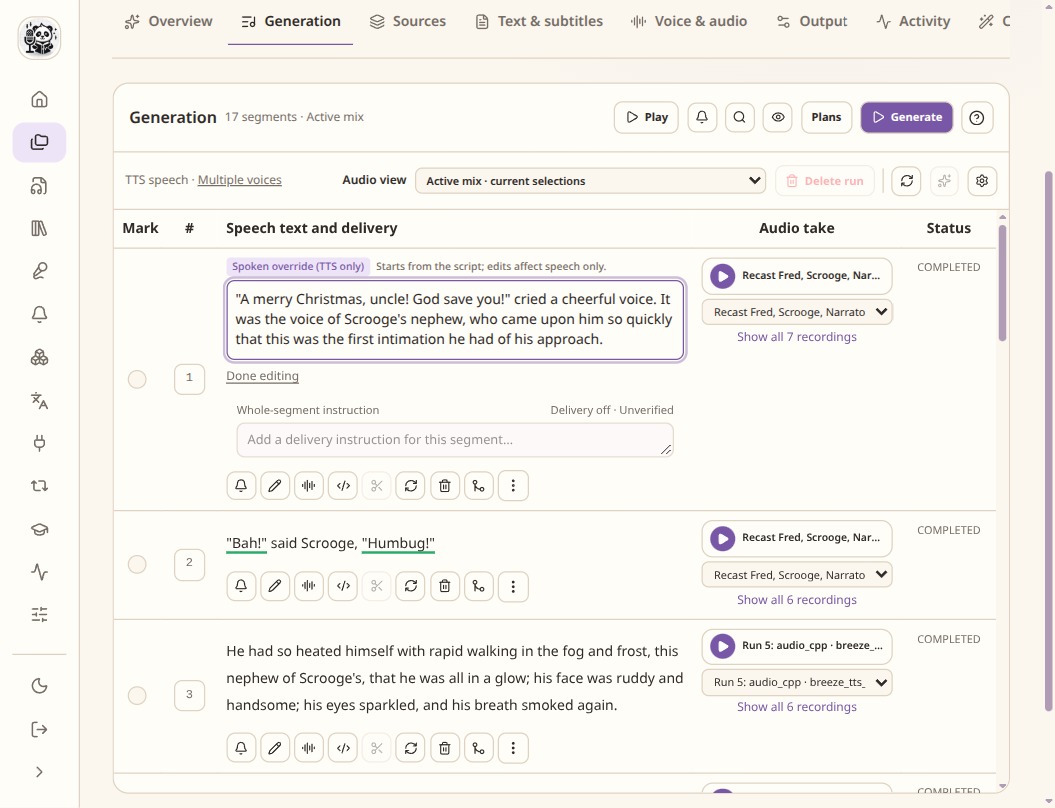
The spoken override is separate from the script. Check the delivery availability badge for the selected model. Use a specific direction
Where the selected model supports instructions, describe the delivery briefly: pace, tone or emphasis. For example, ask for a quiet, matter-of-fact reading. A voice description defines a voice; an acting instruction describes how to read this passage.
Read quietly, at a steady pace. Leave a small pause before the final sentence.Review emotions and vocal events
Emotion, intensity, emphasis, pauses and vocal events depend on the adapter. A supported event might be a laugh or a sigh, but it is not a background sound effect. Preview the compiled plan and check controls that the backend omits.
Correct pronunciation and compare takes
For recurring words, add a reviewed pronunciation entry. For a single line, use a speech-only override. Generate a new take and compare it with the earlier one. Directions are hints; the result still needs listening.
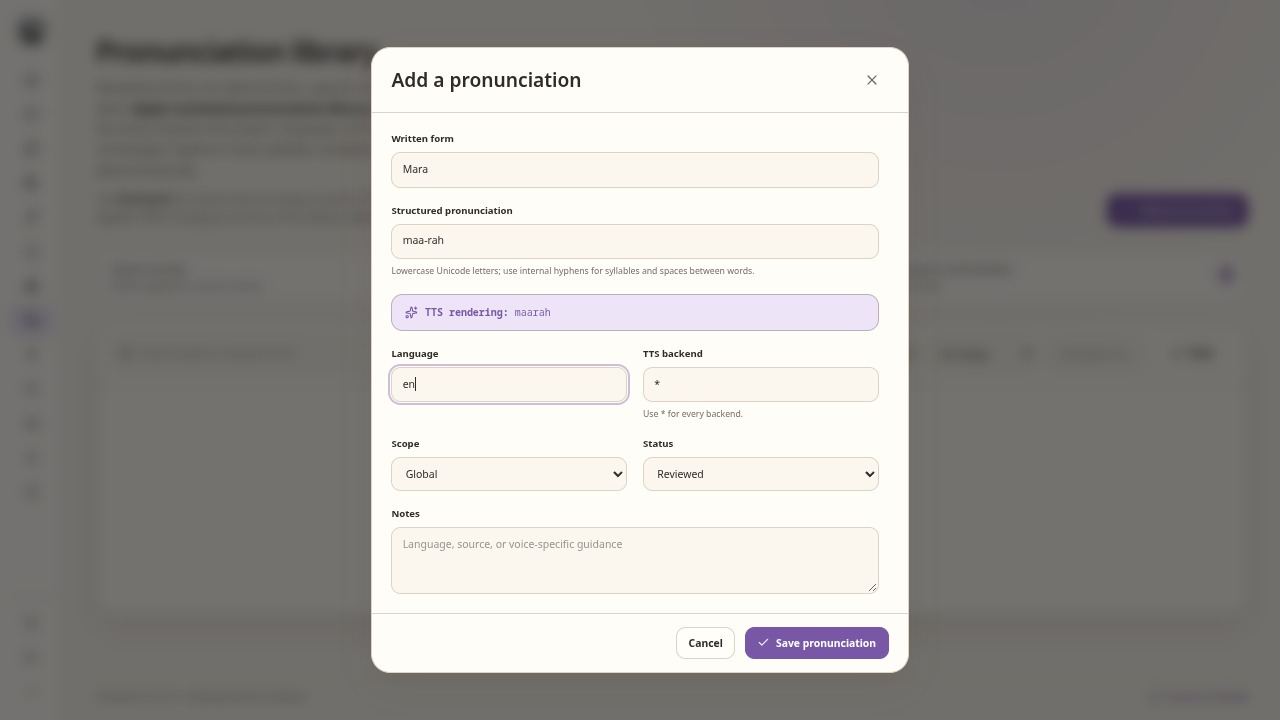
This is an unsaved example. Review a pronunciation before enabling it for speech.
Check the result
- Check the actual model controls in the matrix; Qwen Base and VoiceDesign accept different inputs.
- Make sure captions have not acquired phonetic spellings.
- Use the sound library for rain, footsteps or music.