
Open Sounds & Music
Use the library to import a sound or open the generation playground. Choose a sound-effect or music model suited to the task. Available fields depend on the exact model.
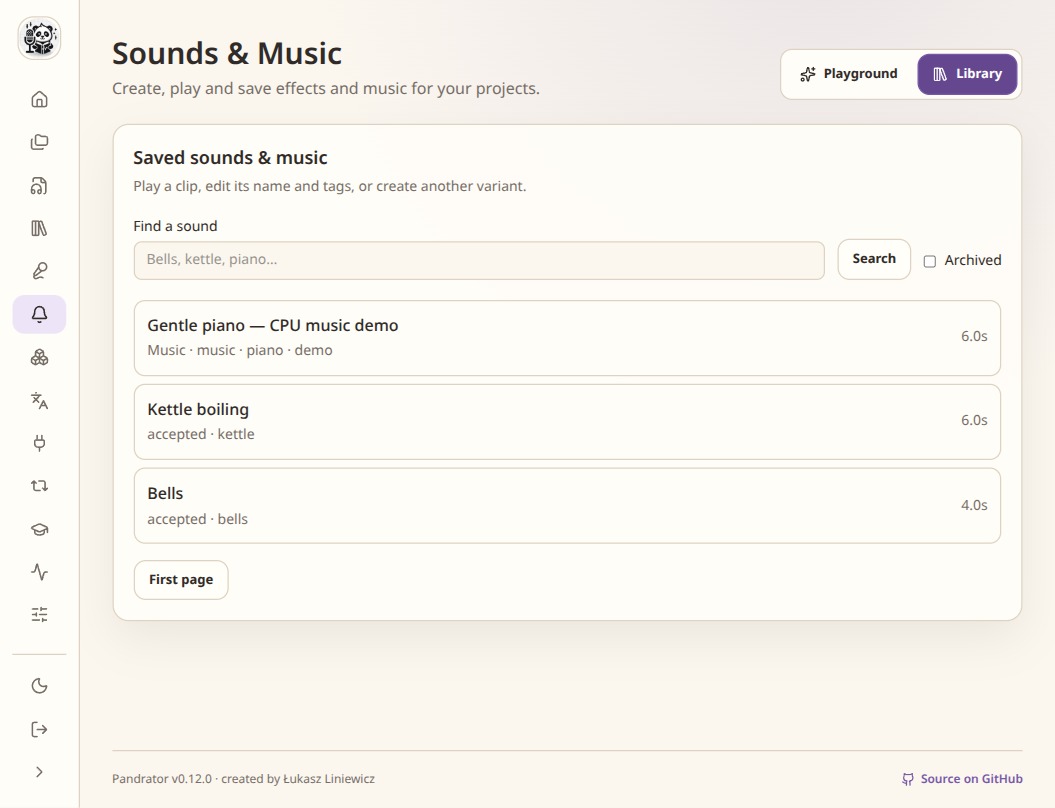
The library keeps saved clips available to other projects. Generate a short candidate
Describe the sound and choose a short duration. For music, check whether the model supports lyrics, instrumental output or other controls. Listen to the result and save a useful candidate with a clear name.
Gentle rain on a station roof, no voices, no music.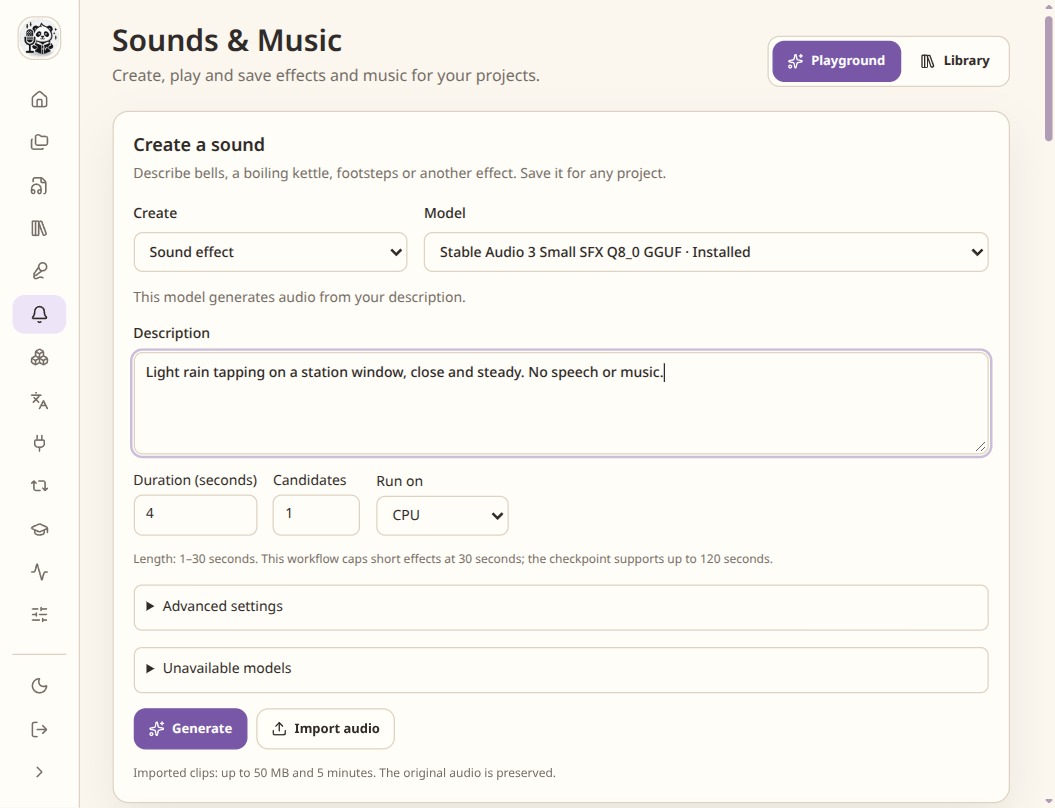
Start with a short description and duration, then listen to the candidates. Place the sound in the project
Use the project sound controls to insert or overlay the saved sound. Set its anchor, offset, gain, trim and fades. A cue still marked as needing placement has not been resolved onto the timeline.
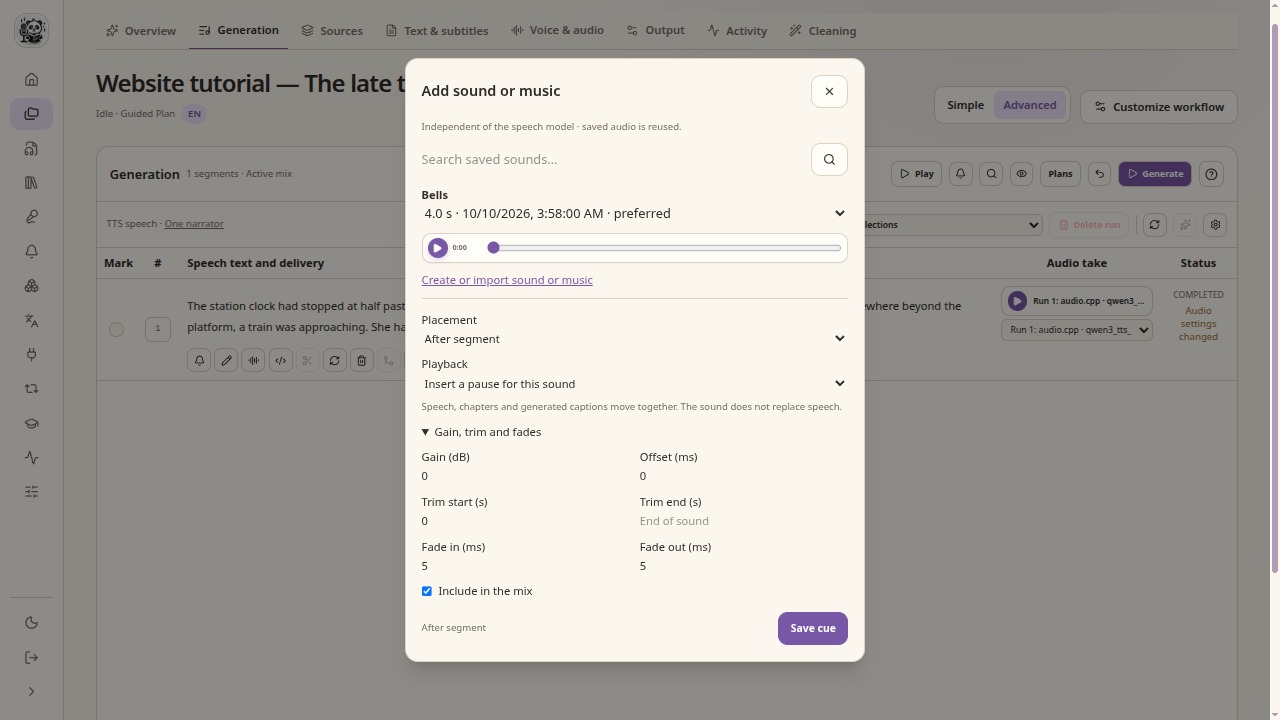
Choose how the cue relates to speech timing before saving it. Render the mix and review the export
Render the project sound mix and include it in the output. Check transitions and speech intelligibility. Source-track ducking for a voiceover is a separate output setting; it is not a per-cue sound-library control.
Check the result
- Check the licence of imported audio and the selected model.
- Keep sound effects separate from speech-model laughter or sigh tags.
- Listen for clipping, abrupt ends and music that covers the dialogue.