
Import the original
Create an audiobook project and upload the book. EPUB usually gives more structured text than a scanned PDF. Keep the source file so you can compare passages later.
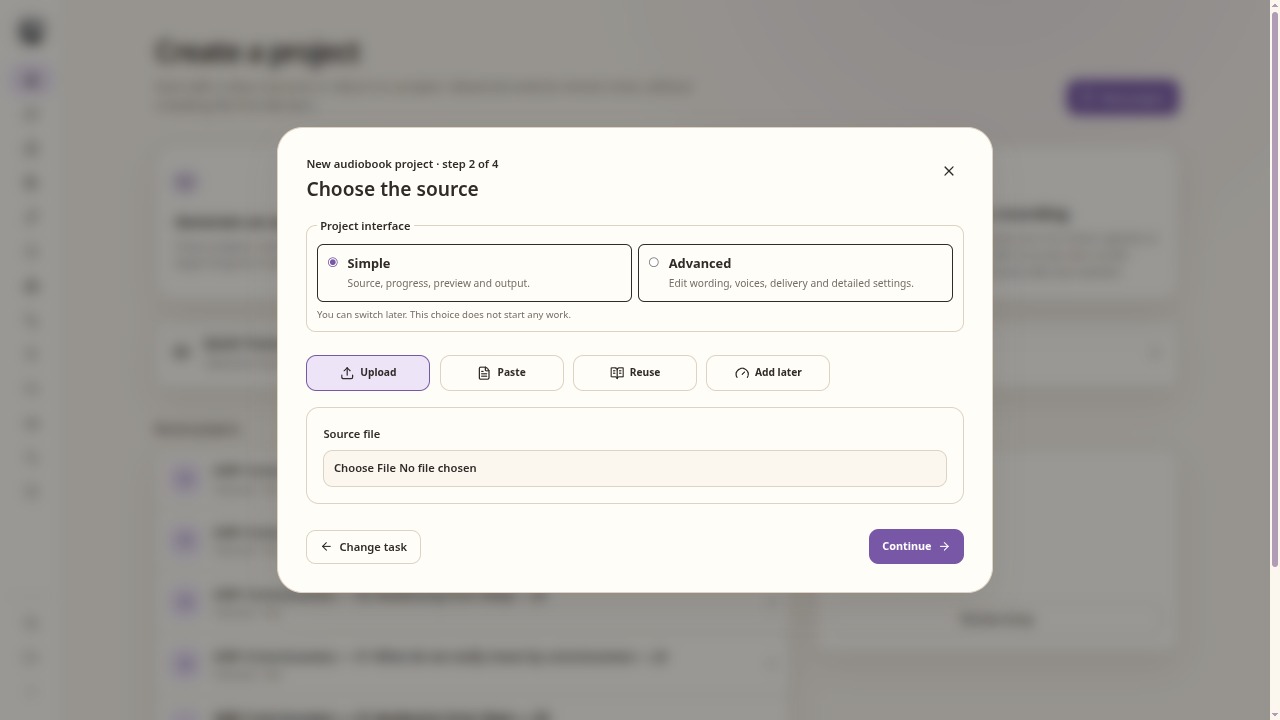
Choose a source and the interface mode before creating the project. Run extraction and cleaning
Run Clean source. PDF settings let you choose automatic OCR, no OCR or forced OCR. Start with automatic extraction; use OCR when the pages contain images rather than usable text.
Review what will be narrated
Read the selected Clean source result in the workflow preview. Check a page near the start, a middle page, footnotes and the end. Cleaning contains extraction and OCR settings. Look for repeated headers, broken words, missing paragraphs and material that should be omitted. Assisted cleanup needs a configured language model.
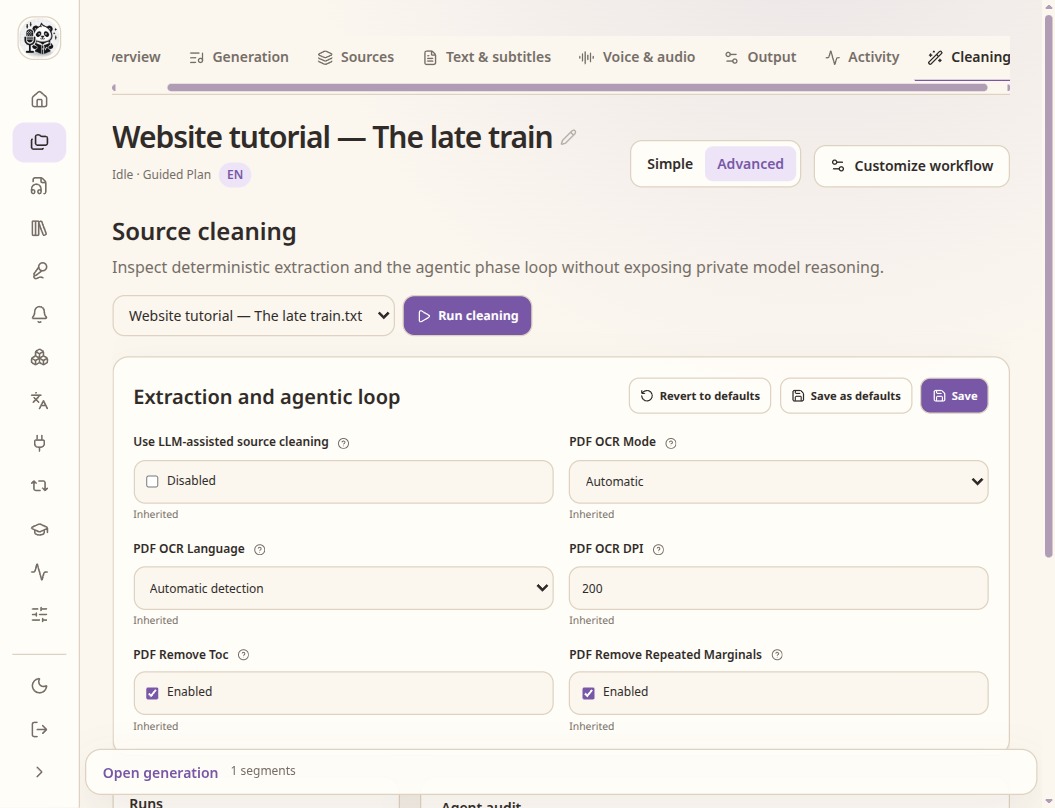
Cleaning contains extraction and OCR settings. Read the selected result from the workflow preview. Check chapter starts
Run Segment narration and open Generation. Check chapter markers and the text around them. These markers can become chapter tags in an M4B export. Fix boundaries before generating the entire book.
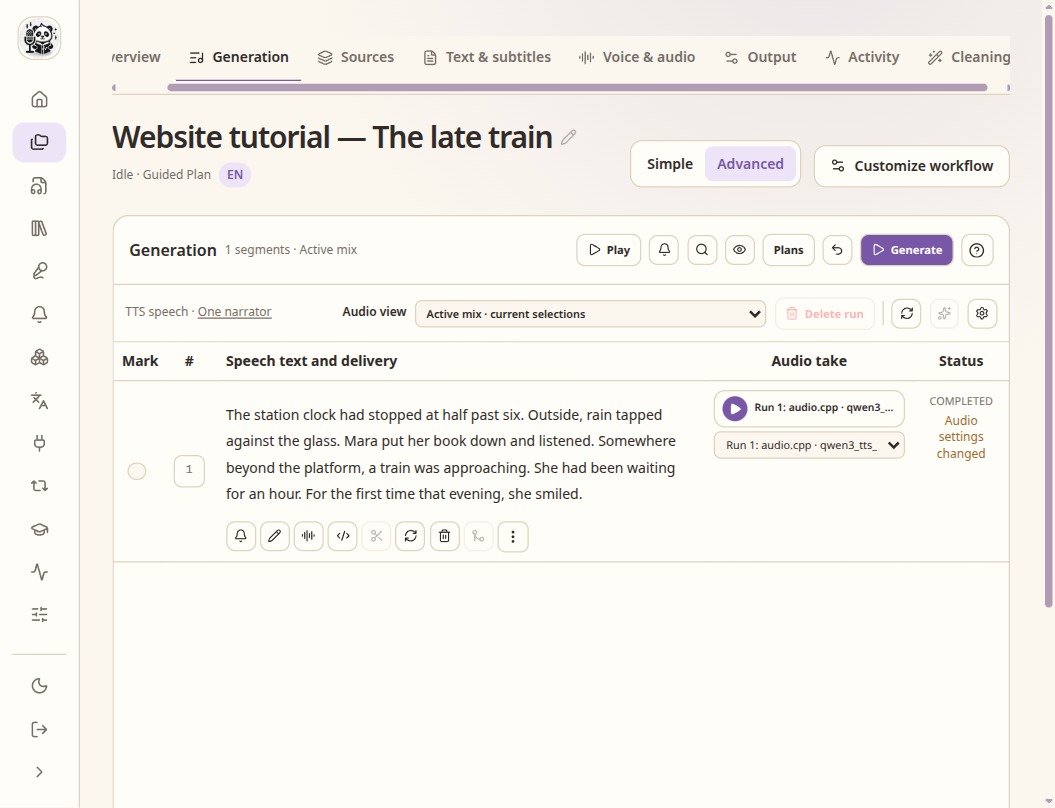
Check the speech text and the selected take before assembly.
Check the result
- Compare several cleaned passages with the original book.
- Keep meaningful notes unless you deliberately choose to omit them.
- Book cleaning is not the subtitle translation workflow. Prepare a translated book text before importing it if you need narration in another language.